1 基本概念
网络爬虫(Crawler):又称网络蜘蛛,或者网络机器人(Robots). 它是一种按照一定的规则,自动地抓取万维网信息的程序或者脚本。换句话来说,它可以根据网页的链接地址自动获取网页内容。如果把互联网比做一个大蜘蛛网,它里面有许许多多的网页,网络蜘蛛可以获取所有网页的内容。
爬虫是一个模拟人类请求网站行为, 并批量下载网站资源的一种程序或自动化脚本。
爬虫:使用任何技术手段,批量获取网站信息的一种方式。关键在于批量。
反爬虫:使用任何技术手段,阻止别人批量获取自己网站信息的一种方式。关键也在于批量。
误伤:在反爬虫的过程中,错误的将普通用户识别为爬虫。误伤率高的反爬虫策略,效果再好也不能用。
拦截:成功地阻止爬虫访问。这里会有拦截率的概念。通常来说,拦截率越高的反爬虫策略,误伤的可能性就越高。因此需要做个权衡。
资源:机器成本与人力成本的总和。
2 爬虫的基本流程
(1)请求网页:
通过 HTTP 库向目标站点发起请求,即发送一个 Request,请求可以包含额外的 headers 等
信息,等待服务器响应!
(2)获得相应内容:
如果服务器能正常响应,会得到一个 Response,Response 的内容便是所要获取的页面内容,类型可能有 HTML,Json 字符串,二进制数据(如图片视频)等类型。
(3)解析内容:
得到的内容可能是 HTML,可以用正则表达式、网页解析库进行解析。可能是 Json,可以
直接转为 Json 对象解析,可能是二进制数据,可以做保存或者进一步的处理。
(4)存储解析的数据:
保存形式多样,可以存为文本,也可以保存至数据库,或者保存特定格式的文件
测试案例:
代码 实现: 爬取贵阳房价的页面数据
#==========导 包=============
import requests

#=====step_1 : 指 定 url=========
url = 'https://gy.fang.lianjia.com/ /'

#=====step_2 : 发 起 请 求 :======
#使 用 get 方 法 发 起 get 请 求 , 该 方 法 会 返 回 一 个 响 应 对 象 。 参 数 url 表 示 请 求 对 应 的 url
response = requests . get ( url = url )

#=====step_3 : 获 取 响 应 数 据 :===
#通 过 调 用 响 应 对 象 的 text 属 性 , 返 回 响 应 对 象 中 存 储 的 字 符 串 形 式 的 响 应 数 据 ( 页 面 源 码数 据 )
page_text = response . text

#====step_4 : 持 久 化 存 储=======
with open ('贵阳房价 . html ','w', encoding ='utf -8') as fp:
    fp.write ( page_text )
print (' 爬 取 数 据 完 毕 !!!')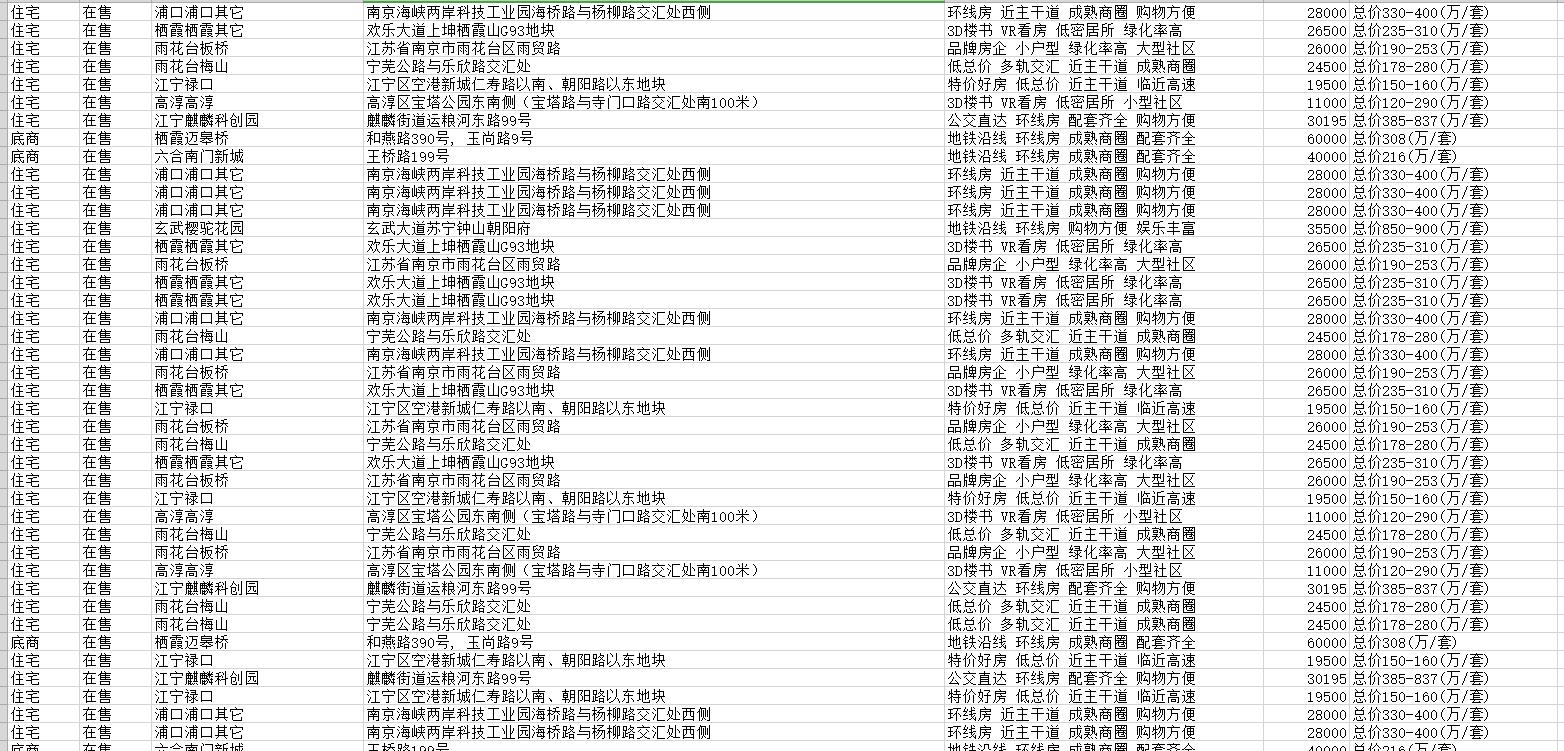
源码:
# QQ: 247483085
# 编写时间:2022-02-10 --17:40
# coding=utf-8
# ==================导入相关库==================================
from bs4 import BeautifulSoup
import numpy as np
import requests
from requests.exceptions import RequestException
import pandas as pd


# =============读取网页=========================================
def craw(url, page):
    try:

        headers = {
            "User-Agent": "Mozilla/5.0 (Windows NT 10.0; WOW64) AppleWebKit/537.36 (KHTML, like Gecko) Chrome/69.0.3947.100 Safari/537.36"}
        html1 = requests.request("GET", url, headers=headers, timeout=10)
        html1.encoding = 'utf-8'  # 加编码,重要!转换为字符串编码,read()得到的是byte格式的
        html = html1.text

        return html
    except RequestException:  # 其他问题
        print('第{0}读取网页失败'.format(page))
        return None


# ==========解析网页并保存数据到表格======================
def pase_page(url, page):
    html = craw(url, page)
    html = str(html)
    if html is not None:
        soup = BeautifulSoup(html, 'lxml')
        "--先确定房子信息,即li标签列表--"
        houses = soup.select('.resblock-list-wrapper li')  # 房子列表
        "--再确定每个房子的信息--"
        for j in range(len(houses)):  # 遍历每一个房子
            house = houses[j]
            "名字"
            recommend_project = house.select('.resblock-name a.name')
            recommend_project = [i.get_text() for i in recommend_project]  # 名字 英华天元,斌鑫江南御府...
            recommend_project = ' '.join(recommend_project)
            # print(recommend_project)
            "类型"
            house_type = house.select('.resblock-name span.resblock-type')
            house_type = [i.get_text() for i in house_type]  # 写字楼,底商...
            house_type = ' '.join(house_type)
            # print(house_type)
            "销售状态"
            sale_status = house.select('.resblock-name span.sale-status')
            sale_status = [i.get_text() for i in sale_status]  # 在售,在售,售罄,在售...
            sale_status = ' '.join(sale_status)
            # print(sale_status)
            "大地址"
            big_address = house.select('.resblock-location span')
            big_address = [i.get_text() for i in big_address]  #
            big_address = ''.join(big_address)
            # print(big_address)
            "具体地址"
            small_address = house.select('.resblock-location a')
            small_address = [i.get_text() for i in small_address]  #
            small_address = ' '.join(small_address)
            # print(small_address)
            "优势。"
            advantage = house.select('.resblock-tag span')
            advantage = [i.get_text() for i in advantage]  #
            advantage = ' '.join(advantage)
            # print(advantage)
            "均价:多少1平"
            average_price = house.select('.resblock-price .main-price .number')
            average_price = [i.get_text() for i in average_price]  # 16000,25000,价格待定..
            average_price = ' '.join(average_price)
            # print(average_price)
            "总价,单位万"
            total_price = house.select('.resblock-price .second')
            total_price = [i.get_text() for i in total_price]  # 总价400万/套,总价100万/套'...
            total_price = ' '.join(total_price)
            # print(total_price)

            # =====================写入表格=================================================
            information = [recommend_project, house_type, sale_status, big_address, small_address, advantage,
                           average_price, total_price]
            information = np.array(information)
            information = information.reshape(-1, 8)
            information = pd.DataFrame(information, columns=['名称', '类型', '销售状态', '大地址', '具体地址', '优势', '均价', '总价'])

            information.to_csv('南京房价.csv', mode='a+', index=False, header=False)  # mode='a+'追加写入
        print('第{0}页存储数据成功'.format(page))
    else:
        print('解析失败')


# ==================双线程=====================================
import threading

for i in range(1, 100, 2):  # 遍历网页1-101
    url1 = "https://nj.fang.lianjia.com/loupan/" + str(i) + "/"
    url2 = "https://nj.fang.lianjia.com/loupan/" + str(i + 1) + "/"

    t1 = threading.Thread(target=pase_page, args=(url1, i))  # 线程1
    t2 = threading.Thread(target=pase_page, args=(url2, i + 1))  # 线程2
    t1.start()
    t2.start()
0 评论